Drop files here
Compress PDF file
Reduce file size while preserving the highest PDF quality, enabling fast sharing and streamlined workflows.
Select PDF files

or drop PDF here
Effortlessly shrink PDF sizes online with our free compression tool, designed to speed up your workflow and simplify file management.
-
Reduce file size with minimal quality loss for fast, convenient sharing.
-
Quick, simple, and effective PDF compression.
-
Compress PDFs anywhere—on any browser, device, or platform for a flexible workflow.
Top Online PDF Compression Tool
Compress large PDFs in seconds for fast emailing, seamless sharing, and easy archiving—completely free and simple to use.
Flexible PDF Compression
Select from multiple compression levels to balance size and clarity, delivering precise, reliable results every time.
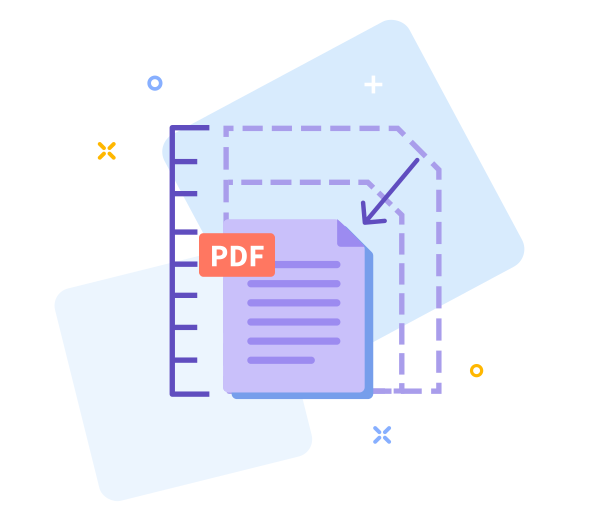
How Does PDF Compression Work?
We optimize images and remove redundant data patterns to significantly shrink large PDFs while preserving high quality.

Easy Sharing Once You’re Done
Smaller files make sharing simpler. After compression, instantly generate a download link for quick, hassle-free distribution.

Work Faster With Smaller PDF Files
Get started instantly—no installation needed. Compress files quickly and effortlessly, right in your browser.
Compress Across All Devices
Compress PDFs from any device or browser—mobile, desktop, or tablet—without hassle.
Data Regulation Compliance
We handle your data with GDPR-compliant privacy standards and strong security controls.
Easily adjust settings to tailor results to your needs.
If you need changes, go back with a single click to fine-tune compression and keep your workflow moving.
High - Tech Encryption
Your documents are protected with industry-grade TLS encryption to ensure secure processing and data privacy.
Compress Your PDF in the Cloud
This cloud-based tool lets you compress PDFs quickly and securely. Upload your file, select a compression level, and let the platform handle the rest—free to use online with no installation.
Frequently Asked Questions
Yes. Our online Compress PDF tool is free to use and accessible anytime. You can reduce PDF file sizes without registering, adding watermarks, or installing software. Some limits may apply based on file size or usage, but you will get a fast, convenient, and secure solution for everyday document optimization.
Our compression helps you reduce file size without compromising readability or layout. It preserves text and structure while efficiently optimizing images to deliver smaller, shareable PDFs.
Yes. Your files are protected by secure HTTPS during upload and processing. We automatically delete uploaded PDFs from our servers after a short period to protect your privacy and data security.

How to Compress PDFs Online — Fast, Free, and Easy
Use these straightforward steps to compress your PDF at no cost and simplify your workflow:
- Easily add your PDF to the workspace to begin processing.
- Choose a compression level that balances quality and file size for your needs.
- Click 'Compress PDF' and wait just moments as the optimization completes.
- Save the optimized PDF to your device with a single click.
Frequently asked questions about our PDF compression tool and how it helps streamline your document workflow.
-
Is the PDF compression tool free to use?
Yes—our compression tools are available at no cost, with no hidden fees.
-
Is your compression tool safe?
Absolutely—every step is fully encrypted to safeguard your documents and protect your privacy.
 Remove pages



This file requires password
Ignore these files

wrong password
Some file(s) requires password
Damaged/Corrupted File
We cannot process corrupted or damaged files. To verify integrity, open the file in a PDF reader—if it won't open, the file may be damaged. Please restore or replace the file before attempting conversion again.
