Drop files here
Convert PDF to EXCEL
Turn PDF data into EXCEL spreadsheets.
Select PDF files

or drop PDF here
Convert PDFs to Excel quickly and easily. Ideal for sharing reports, analyzing sales data, and streamlining document workflows online.
-
Convert PDFs—sales reports, invoices, and other documents—into fully editable Excel sheets.
-
No installation required—an easy, user-friendly, browser-based workflow.
-
Transform PDF data into fully editable Excel files with precision and ease.
Convert PDF to Excel in seconds
Need to extract data or convert invoices from PDF to Excel? Our one-stop toolkit makes it fast, straightforward, and reliable.
Supports scanned documents
With built-in OCR, upload PDFs containing scanned receipts, invoices, or images. We'll extract the data and convert it into a clean, structured Excel file at no cost.
Better teamwork
Seamlessly share your converted Excel files via a shareable link and built-in sharing options—perfect for collaborating with your team.
PDF to Excel — Accurate, Fast, and Reliable
No app installation required. Simply upload your PDF and receive a ready-to-use Excel file in moments.
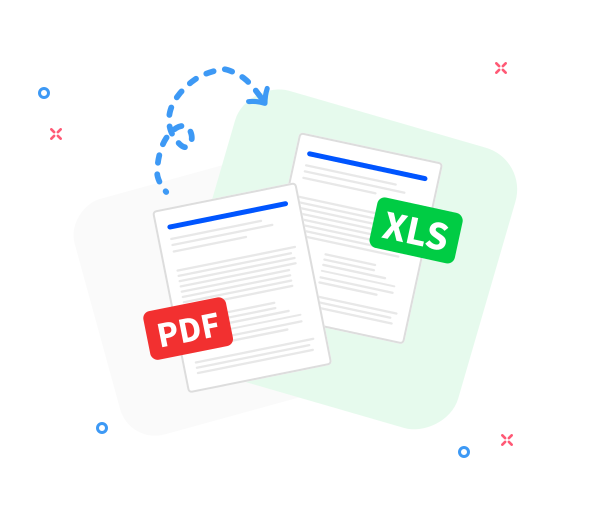
Accurate PDF to Excel conversion
Your original layout stays intact, delivering clean, dependable Excel results with every conversion.
Convert PDFs from anywhere
Designed for cross-device use, our online converter works smoothly on phones, tablets, and desktops across all major operating systems.
Convert multiple files at once
Convert one or multiple PDFs in a single go. Our tool handles batch conversions fast and accurately.
Your data stays private
We protect your data with strong security practices, and all files are securely erased shortly after processing.
Secure conversion you can trust
TLS encryption keeps your PDF - to - Excel conversions fully protected and secure.
Compliant with GDPR standards.
We adhere to GDPR and industry-leading privacy standards to protect your data during upload and processing, delivering a secure, reliable, and convenient cloud-based PDF and file toolkit.
Frequently Asked Questions
Yes. This online PDF to Excel converter is free to use. You can convert PDFs into editable Excel spreadsheets without registration, watermarks, or software installation.
Designed to reliably extract tables, rows, and columns from PDFs into Excel with accuracy, especially when the source text is structured and selectable. It lives within a versatile, one-stop PDF and file toolkit for everyday document tasks, helping you convert and organize data quickly and with minimal effort.
Yes. Your files are protected with HTTPS during upload and processing, and both PDFs and the resulting Excel files are automatically removed from our servers after a short retention period to protect your privacy and data security. This approach supports fast, reliable conversions without requiring complicated setup.

Effortless PDF-to-Excel conversion: a quick, no-cost guide.
Follow these straightforward steps to convert PDF to Excel quickly and at no cost:
- Upload or drag and drop your PDFs into our versatile PDF-to-Excel workflow.
- Organize your files—sort by name, remove irrelevant documents, or group related items.
- Choose Convert to Excel and let the tool process in moments.
- Your converted Excel file will be ready in moments. Download it or share via link.
 Remove pages




This file requires password
Ignore these files

wrong password
Some file(s) requires password
Damaged/Corrupted File
We cannot process corrupted or damaged files. To verify integrity, open the file in a PDF reader—if it won't open, the file may be damaged. Please restore or replace the file before attempting conversion again.
